A wedding vow teleprompter app is a simple idea with a big job: put your vows in large, scrolling type so you can look up, breathe, and still see the next line when nerves hit. Cards work. Phones and tablets work. What fails is showing up with tiny font, a brand-new system, or zero practice under mild pressure.
This guide explains what a wedding vow teleprompter app actually does, which features matter on ceremony day, how to practice so the tool feels invisible, and how to avoid common mistakes outdoors. If your wording is still unfinished, shape it first with ready-to-personalize vow templates or a full draft process — then lock the text and train delivery, not perpetual edits.
What a Wedding Vow Teleprompter App Actually Does
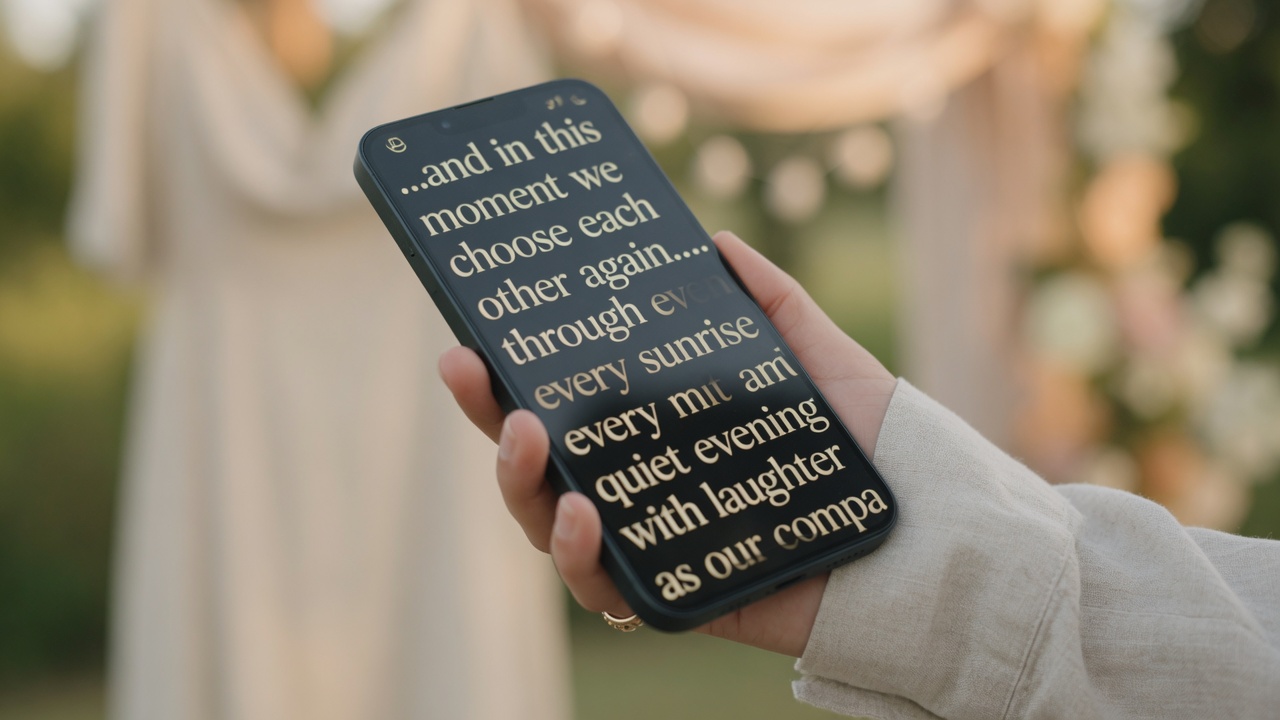
At its core, a wedding vow teleprompter app scrolls your final text at a speed you choose so you do not have to flip pages or squint at a dense paragraph. You paste or load your vows once, set type size and pace, and rehearse the same way you will on the day — standing, looking up between sentences, hands steady.
It is not a televised news desk. You do not need a glass mirror or a crew. Most couples use a phone or small tablet held at chest height, or propped on a discreet stand if the ceremony design allows it. The win is continuity: when emotion spikes, the next sentence is still in front of you in readable type.
A teleprompter does not write the vow for you. If you need structure before you practice, start with our step-by-step vow writing guide, freeze the draft, then move into scroll practice. Rewriting while learning the scroll trains the wrong version into muscle memory.
Why Couples Prefer a Teleprompter Over a Tiny Card
Cards are classic for a reason. They fail when type is small, paper flaps in wind, or tears blur the middle of a dense paragraph. A wedding vow teleprompter app fixes the readability problem: one line (or a few) at a time, large enough to glance, paced so you are not racing to the bottom of a page.
"I choose you with a clear mind and a steady heart. I promise to listen when it is hard, celebrate when it is easy, and build a life that feels like home with you."
Lines like that land better when you can look at your partner for the promise and still recover the next sentence without hunting. Guests care about sincerity and eye contact, not whether you performed from pure memory. For calm delivery habits beyond the tool itself — pace, breath, what to do if you cry — pair this with how to say your wedding vows.
Many people use a hybrid: open and close partly by heart, middle on the scroll. That is not a compromise. It is how most public speakers stay human under pressure.
Features That Matter on Ceremony Day
Not every app feature helps under an arbor. Prioritize the boring controls you will actually touch with shaky hands.
- Readable type size — large enough to scan at arm’s length in sun or shade
- Adjustable scroll speed (WPM) — slow enough that you never chase the text
- Play / pause / restart — so a long pause for tears does not lose your place forever
- High-contrast or outdoor-friendly display — bright lawns kill dim gray-on-gray screens
- Fullscreen and minimal chrome — fewer accidental taps mid-vow
- Mirror mode (optional) — only if you use a physical teleprompter glass; skip it for a direct phone read
Battery, auto-lock, and notifications matter more than fancy themes. Turn on Do Not Disturb. Disable auto-brightness thrash if your phone keeps dimming. Silence the lock screen. Practice once with the exact brightness and orientation you will use.
Shorter text is easier on any system. If the scroll still feels long, trim using rhythm ideas from brief vow examples before you blame the app.
How to Practice With a Teleprompter Before the Wedding
The app only helps if the body has done the reps. Silent scrolling on the couch does little. You need mouth, breath, and posture in the loop.
- Lock the final draft. Date it. Stop polishing except for a true error.
- Load the same text you will use on the day — not a half-finished Google Doc.
- Stand up. Hold the phone or tablet at ceremony height. Start the scroll.
- Mark mental breath points after every one or two sentences; pause the scroll if your app allows when you need a longer inhale.
- Do three short sessions rather than one exhausted hour. Practice with mild distraction (kitchen noise, soft outdoor wind) so silence is not required.
- Record one take. Fix only the lines you rush or mumble. Then stop rewriting the vow itself.
If full memorization is still on the table, use the teleprompter as a safety rail while you train recall — see how to memorize your wedding vows for chunking methods. Most couples do better reading clearly than performing a shaky monologue.
Agree with your partner on approximate length so one of you is not scrolling a novel while the other has six lines. Matching word counts is optional. Matching energy helps.
Phone, Tablet, or Paper — Choosing Your Setup
There is no single correct device. There is only the setup you have rehearsed.
Phone: Discreet, always with you, easy to hold. Best with large type and a case that does not slip. Risk: small screen if font stays tiny; notifications if you forget Do Not Disturb.
Tablet: Easier to read at arm’s length; can feel more “document-like” in photos. Risk: bulk, glare, and a more visible prop unless your ceremony design embraces it.
Paper or card: Zero battery risk, zero software. Best when type is large and the card is stiff. Risk: wind, tears, and dense paragraphs that force you to hunt for the next line.
"You are my favorite person and my safest place. I vow to love you with patience, humor, and honesty — today, and in every ordinary day we get."
Whatever you choose, run one full outdoor rehearsal if your ceremony is outside. Glare and breeze change everything. Keep a paper backup even if you plan to use a wedding vow teleprompter app — professionalism, not lack of faith in the tool.
If the personal middle still feels generic while you practice, tighten story details using patterns from custom personal vows, freeze again, and only then resume scroll drills.
Outdoor Weddings, Glare, and Microphone Reality
Outdoor light is the silent killer of phone screens. Test at the same time of day as your ceremony if you can. Angle the device slightly down to cut sky reflection. Increase brightness before you walk down the aisle, not mid-vow. If your app has an outdoor or high-contrast mode, turn it on in practice so the layout is familiar.
Wind moves paper and can make a loose tablet case feel unstable. Plant your feet. Hold the device with both hands or one hand plus a soft grip against your torso. If a coordinator offers a small stand, only use it if you practiced with that exact stand — new hardware on the day is a new failure mode.
Microphones change volume habits. Whispering into a lapel is still hard for the back row; shouting past a handheld clips. Do one sound-check line at the volume you used in practice. Keep elbows soft near your ribs so the mic stays with you while you glance at the scroll.
Rain plans matter: a plastic sleeve for paper, a pocket for the phone, and an officiant who can hold a spare copy. The promise is the product. The screen is just the rail.
Common Mistakes When Using a Teleprompter for Vows
Most teleprompter fails are human, not technical.
- Scroll set too fast — you chase words and sound rushed. Slow down until the text waits for you.
- First use on the wedding morning — new UI under stress is a bad experiment. Practice for days, not minutes.
- Tiny font “so it all fits” — defeat the purpose. Prefer fewer words on screen and larger type.
- Notifications left on — a text from a vendor mid-vow is not charming. Do Not Disturb is non-negotiable.
- No backup copy — dead battery or crash should not end the moment. Print large type.
- Reading every word with eyes glued down — glance, look up for the promise, glance again. Connection still matters.
"Years from now I want you to remember this: I chose you on purpose. I still choose you. I will keep choosing you when the days are ordinary and when they are hard."
That kind of close is worth delivering face-up even if the middle stays on the scroll. A wedding vow teleprompter app should support presence, not replace it. If you blank, pause the scroll, breathe, and continue from the next full sentence — the same recovery rule as paper.
How to Choose the Right Wedding Vow Teleprompter App
Pick the tool that is boringly reliable for your exact ceremony — not the one with the most marketing claims. Score candidates on: large type, speed control, pause/restart, outdoor readability, offline or local paste (so you are not dependent on weak venue Wi‑Fi), and a practice path you will actually use more than once.
If you already drafted vows elsewhere, paste-and-practice may be enough. If you still need wording, a path that moves from draft to delivery in one product reduces “which file is final?” chaos. For inspiration before you lock text, browse real vow samples for inspiration, then freeze and rehearse only the final version.
Test on the device you will carry. A beautiful desktop preview means nothing if your phone auto-locks after thirty seconds. Ceremony day should introduce zero new systems — same app, same speed, same orientation, same backup plan.
Couples often continue with Biblical Vows for a Meaningful Ceremony after drafting their core promises.
Frequently Asked Questions
Is it okay to use a teleprompter app for wedding vows?
Yes. Guests care that you mean the words and can look at your partner between sentences. A discreet phone or tablet with large type is widely accepted. Practice with the same setup beforehand, silence notifications, and keep a printed backup nearby.
What is the best wedding vow teleprompter app setup?
The best setup is the one you have rehearsed: large readable type, scroll speed slower than your nervous speaking pace, Do Not Disturb on, brightness set for outdoor glare if needed, and a paper backup. Phone is most discreet; tablet is easier to read; paper has zero battery risk.
Should I memorize vows if I am using a teleprompter?
You do not have to. Many couples memorize only the opening and closing and read the middle. Full memory is optional and still benefits from a backup. Use the teleprompter as a safety rail, not as a reason to skip all practice.
What if my phone dies during the ceremony?
Have a large-print paper copy in a pocket or with the officiant. Charge fully the night before, enable low-power settings if needed, and avoid opening other apps that drain battery. A backup is professionalism, not pessimism.